
Seller guideदुकानदार गाइड
Short steps for everything in your Seller dashboard. Tap a topic.Seller dashboard की हर चीज़ के आसान स्टेप। कोई विषय दबाएँ।
- Sign in and open your dashboardसाइन इन करें और डैशबोर्ड खोलें
- Add or change products and ratesसामान और रेट जोड़ें या बदलें
- Tell buyers your rates are freshख़रीदारों को बताएँ कि रेट आज के हैं
- Add photos and videosफ़ोटो और वीडियो लगाएँ
- Let buyers call and WhatsApp youख़रीदार आपको कॉल और WhatsApp कर सकें
- Post an offer or new stockऑफ़र या नया स्टॉक पोस्ट करें
- Answer buyer requestsख़रीदारों की ज़रूरतों का जवाब दें
- Share your shop: QR poster and WhatsApp Statusदुकान शेयर करें: QR पोस्टर और WhatsApp स्टेटस
- Mark your shop closedदुकान बंद होने की जानकारी दें
- Read your shop reportअपनी दुकान की रिपोर्ट देखें
- Let your staff update ratesस्टाफ़ से रेट अपडेट करवाएँ
- Get alerts on your phoneफ़ोन पर अलर्ट पाएँ
- Get more customers: membership, Featured and adsज़्यादा ग्राहक: मेंबरशिप, फ़ीचर्ड और विज्ञापन
- Common questionsआम सवाल
Sign in and open your dashboardसाइन इन करें और डैशबोर्ड खोलें
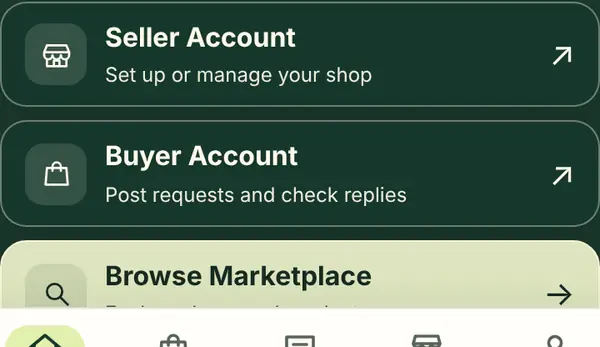
- On the home page, tap Seller Account.
- Type your email and tap Send sign-in code.
- Open your email, copy the 6-digit code, and type it in.
- You now see your Seller dashboard. Bookmark it or add it to your home screen.
- होम पेज पर Seller Account दबाएँ।
- अपना ईमेल लिखें और Send sign-in code दबाएँ।
- ईमेल खोलें, 6 अंकों का कोड देखें और लिख दें।
- अब आपका Seller dashboard खुल जाएगा। इसे बुकमार्क करें या होम स्क्रीन पर जोड़ लें।
Add or change products and ratesसामान और रेट जोड़ें या बदलें
- In your dashboard, tap Products.
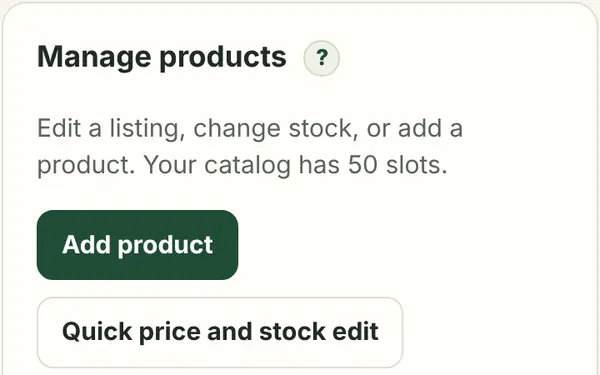
- Tap Add product, or tap Edit on a product you already have.
- Type the name, unit (for example "per bag") and the rate. If the rate changes daily, choose Ask for price.
- Choose In stock or Out of stock, then tap Save.
- For small changes, use Quick price and stock edit in Shop tools. You can change many rates on one screen.
- डैशबोर्ड में Products दबाएँ।
- Add product दबाएँ, या पहले से जुड़े सामान पर Edit दबाएँ।
- नाम, इकाई (जैसे "per bag") और रेट लिखें। अगर रेट रोज़ बदलता है तो Ask for price चुनें।
- In stock या Out of stock चुनें, फिर Save दबाएँ।
- छोटे बदलाव के लिए Shop tools में Quick price and stock edit दबाएँ। एक ही स्क्रीन पर कई रेट बदल सकते हैं।
Tell buyers your rates are freshख़रीदारों को बताएँ कि रेट आज के हैं
- Every morning, open your dashboard.
- If any rate changed, fix it with Quick price and stock edit.
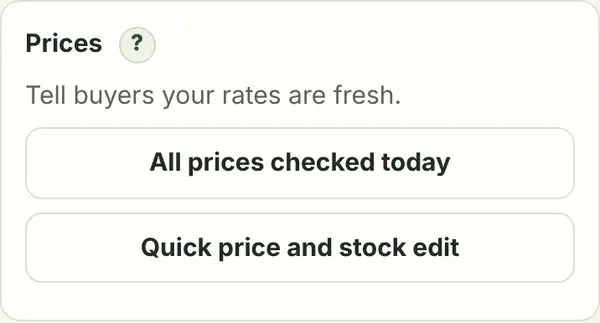
- Then tap All prices checked today.
- Your shop shows "✓ Prices checked today". Buyers trust and call these shops first.
- हर सुबह अपना डैशबोर्ड खोलें।
- अगर कोई रेट बदला है तो Quick price and stock edit से ठीक करें।
- फिर All prices checked today दबाएँ।
- आपकी दुकान पर "✓ Prices checked today" दिखेगा। ख़रीदार ऐसी दुकानों पर ज़्यादा भरोसा करते हैं और पहले कॉल करते हैं।
Add photos and videosफ़ोटो और वीडियो लगाएँ
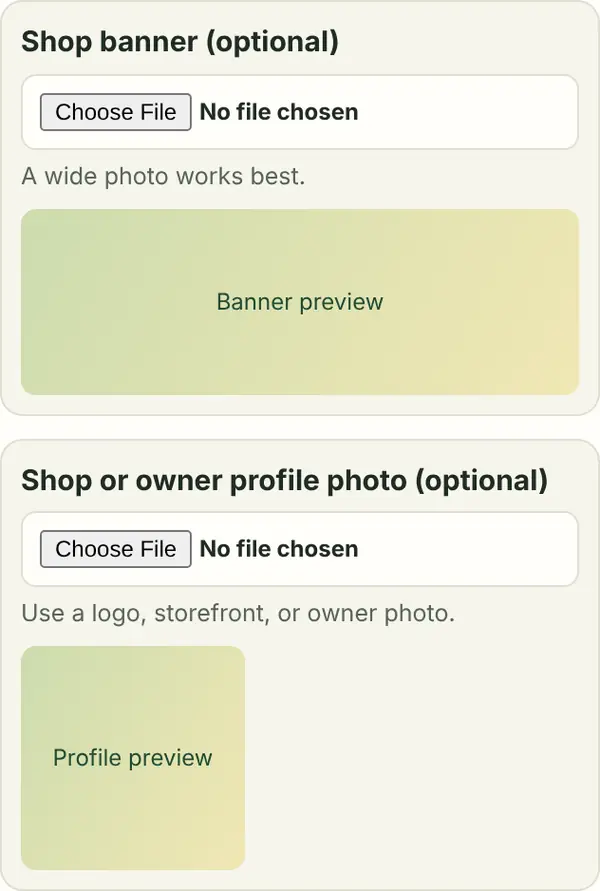
- Tap Shop settings, then choose a Shop banner photo. A wide photo of your shop front works best.
- Add a profile photo: your logo, shop board or your own photo.
- For a product, tap Edit and add up to 5 photos of the real item, from different sides. The first one is the main photo; tap ★ to make another one main.
- Have a video? Post it on your Instagram, Facebook or YouTube, copy its link and paste it in Video link. Copy the caption shown and use it in your post, so your followers find your shop.
- Big photos are made smaller on your phone, so they upload fast.
- Shop settings दबाएँ, फिर Shop banner फ़ोटो चुनें। दुकान के सामने की चौड़ी फ़ोटो सबसे अच्छी रहती है।
- प्रोफ़ाइल फ़ोटो लगाएँ: लोगो, दुकान का बोर्ड या अपनी फ़ोटो।
- सामान के लिए Edit दबाएँ और असली सामान की 5 तक फ़ोटो अलग-अलग तरफ़ से लगाएँ। पहली फ़ोटो मुख्य होती है; किसी और को मुख्य बनाने के लिए ★ दबाएँ।
- वीडियो है? उसे अपने Instagram, Facebook या YouTube पर डालें, उसका लिंक कॉपी करके Video link में डालें। दिखाया गया कैप्शन अपनी पोस्ट में लगाएँ, ताकि आपके फ़ॉलोअर्स आपकी दुकान ढूँढ सकें।
- बड़ी फ़ोटो फ़ोन पर ही छोटी हो जाती है, इसलिए जल्दी अपलोड होती है।
Let buyers call and WhatsApp youख़रीदार आपको कॉल और WhatsApp कर सकें

- Tap Shop settings.
- Tick "Show my business number and Call and WhatsApp buttons".
- Tap Save. Your shop page now has Call and WhatsApp buttons.
- Without this, buyers can see your rates but cannot call you.
- Shop settings दबाएँ।
- "Show my business number and Call and WhatsApp buttons" पर टिक करें।
- Save दबाएँ। अब आपकी दुकान के पेज पर Call और WhatsApp बटन दिखेंगे।
- इसके बिना ख़रीदार रेट देख सकते हैं, पर आपको कॉल नहीं कर सकते।
Post an offer or new stockऑफ़र या नया स्टॉक पोस्ट करें
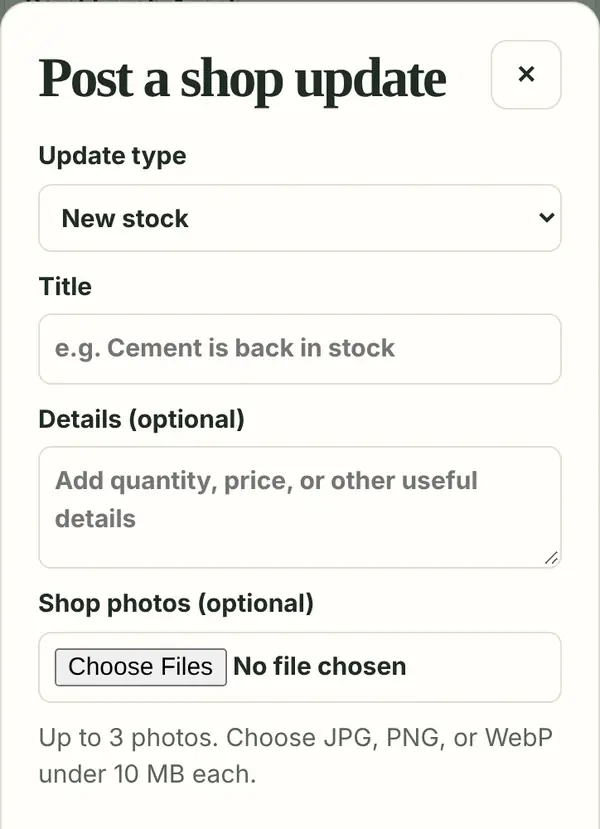
- Tap Post update.
- Choose New stock, Deal or Announcement.
- Write a short title, like "Diwali lights 20% off till Sunday". For a deal, choose the end date.
- Tap Post. Your followers get an alert, and the post shows in the Town feed.
- Don’t write phone numbers or links in posts. Buyers use your contact buttons.
- Post update दबाएँ।
- New stock, Deal या Announcement चुनें।
- छोटा शीर्षक लिखें, जैसे "दीवाली लाइट 20% छूट रविवार तक"। डील हो तो ख़त्म होने की तारीख़ चुनें।
- Post दबाएँ। आपके फ़ॉलोअर्स को अलर्ट जाएगा और पोस्ट Town feed में दिखेगी।
- पोस्ट में फ़ोन नंबर या लिंक न लिखें। ख़रीदार आपके संपर्क बटन इस्तेमाल करेंगे।
Answer buyer requestsख़रीदारों की ज़रूरतों का जवाब दें
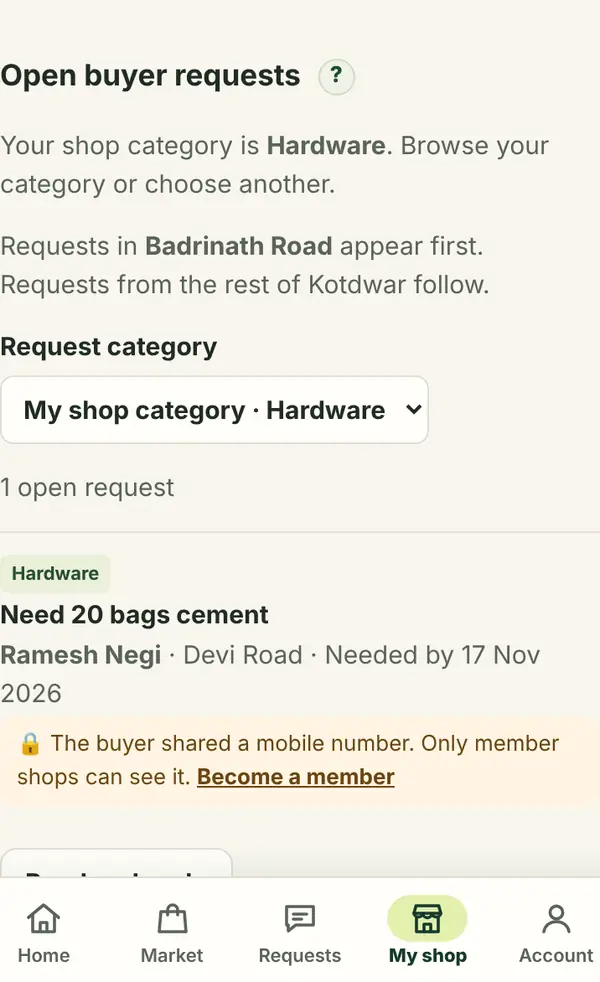
- Tap Buyer requests. You see what buyers in your category are looking for.
- Open a request and write a reply with your rate and stock.
- Member shops also see the buyer’s mobile number and can call them directly.
- Turn on phone alerts so you hear about new requests quickly.
- Buyer requests दबाएँ। आपकी श्रेणी में ख़रीदार क्या ढूँढ रहे हैं, वह दिखेगा।
- कोई ज़रूरत खोलें और अपने रेट और स्टॉक के साथ जवाब लिखें।
- मेंबर दुकानों को ख़रीदार का मोबाइल नंबर भी दिखता है, वे सीधे कॉल कर सकती हैं।
- फ़ोन अलर्ट चालू करें ताकि नई ज़रूरत की ख़बर तुरंत मिले।
Share your shop: QR poster and WhatsApp Statusदुकान शेयर करें: QR पोस्टर और WhatsApp स्टेटस
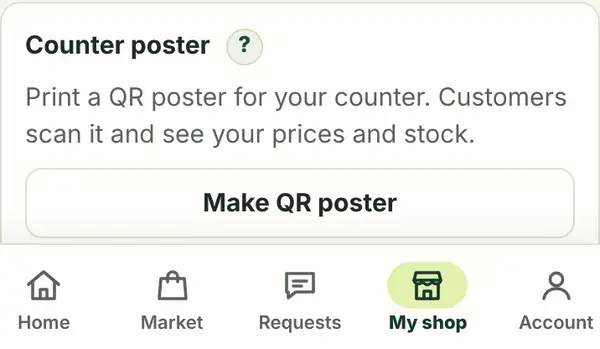
- In Shop tools, tap Make QR poster.
- Tap Print poster, or Save as image and print it at a photocopy shop. Stick it on your counter.
- Customers scan it and see your rates and stock, and can follow your shop.
- Tap WhatsApp Status image and post it on your Status. Do this once a week.
- Shop tools में Make QR poster दबाएँ।
- Print poster दबाएँ, या Save as image करके फ़ोटोकॉपी की दुकान पर प्रिंट कराएँ। काउंटर पर चिपका दें।
- ग्राहक इसे स्कैन करके आपके रेट और स्टॉक देखते हैं और दुकान फ़ॉलो कर सकते हैं।
- WhatsApp Status image दबाएँ और अपने स्टेटस पर लगाएँ। हफ़्ते में एक बार ज़रूर करें।
Mark your shop closedदुकान बंद होने की जानकारी दें
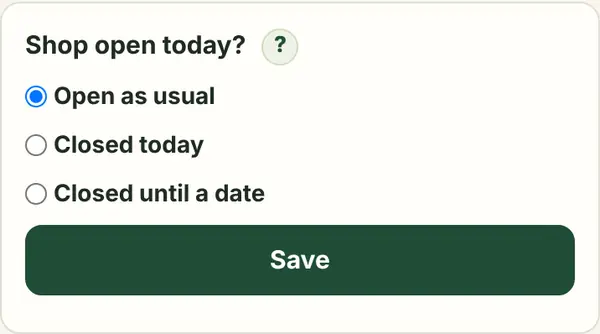
- In Shop tools, find Shop open today?
- Choose Closed today, or Closed until a date.
- Add a short note, like "Closed for Diwali", and tap Save.
- Buyers see that you are closed, so nobody comes to a closed shop. It opens again by itself.
- Shop tools में Shop open today? देखें।
- Closed today या Closed until a date चुनें।
- छोटा नोट लिखें, जैसे "दीवाली पर बंद", और Save दबाएँ।
- ख़रीदारों को दिखेगा कि दुकान बंद है, ताकि कोई बेकार न आए। तारीख़ के बाद अपने-आप खुली दिखेगी।
Read your shop reportअपनी दुकान की रिपोर्ट देखें
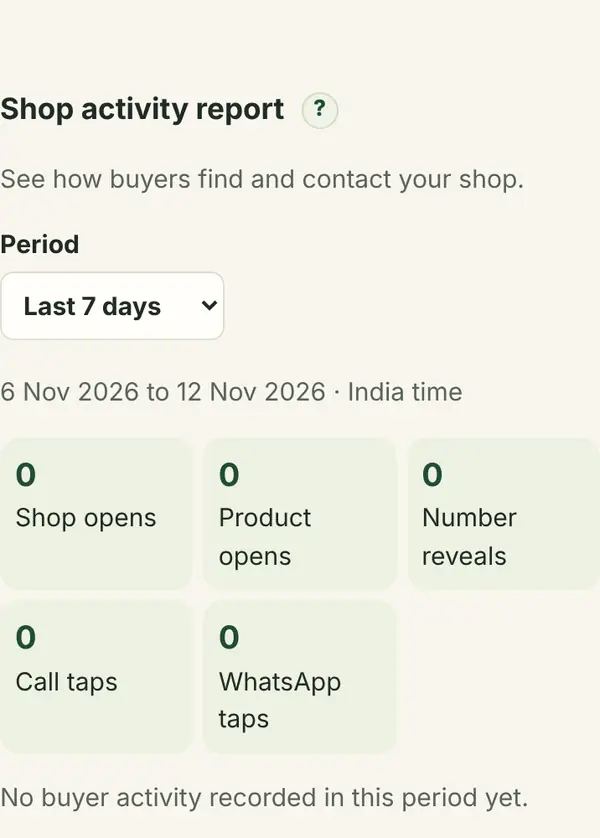
- Tap Activity.
- See how many people opened your shop and products, and how many tapped Call or WhatsApp.
- Every Monday you also get a weekly report in your bell.
- More photos, fresh rates and offers bring more taps.
- Activity दबाएँ।
- देखें कितने लोगों ने आपकी दुकान और सामान खोला, और कितनों ने Call या WhatsApp दबाया।
- हर सोमवार आपकी घंटी में हफ़्ते की रिपोर्ट भी आती है।
- ज़्यादा फ़ोटो, ताज़े रेट और ऑफ़र से ज़्यादा कॉल आते हैं।
Let your staff update ratesस्टाफ़ से रेट अपडेट करवाएँ
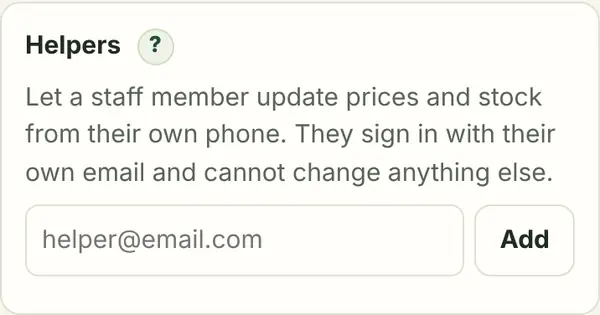
- In Shop tools, find Helpers.
- Type your staff member’s email and tap Add. You can add up to 3 helpers.
- They sign in on their own phone with that email. They can change prices and stock only, nothing else.
- Tap Remove to take away their access.
- Shop tools में Helpers देखें।
- अपने स्टाफ़ का ईमेल लिखें और Add दबाएँ। 3 तक हेल्पर जोड़ सकते हैं।
- वे उसी ईमेल से अपने फ़ोन पर साइन इन करेंगे। वे सिर्फ़ रेट और स्टॉक बदल सकते हैं, और कुछ नहीं।
- उनकी पहुँच हटाने के लिए Remove दबाएँ।
Get alerts on your phoneफ़ोन पर अलर्ट पाएँ

- Tap the bell 🔔 at the top, or Turn on alerts in your checklist.
- When your phone asks, tap Allow.
- You now get alerts for new buyer requests, replies and your weekly report.
- On iPhone, first add the site to your home screen (Share → Add to Home Screen), then turn on alerts.
- ऊपर घंटी 🔔 दबाएँ, या चेकलिस्ट में Turn on alerts दबाएँ।
- जब फ़ोन पूछे, Allow दबाएँ।
- अब नई ज़रूरत, जवाब और हफ़्ते की रिपोर्ट के अलर्ट मिलेंगे।
- iPhone पर पहले साइट को होम स्क्रीन पर जोड़ें (Share → Add to Home Screen), फिर अलर्ट चालू करें।
Get more customers: membership, Featured and adsज़्यादा ग्राहक: मेंबरशिप, फ़ीचर्ड और विज्ञापन
- Listing your shop is free.
- Member shops see buyers’ mobile numbers on requests, so they can call first.
- A Featured shop shows first in its category and in search, with a ⭐ badge.
- Ads in the top banner or offers strip reach everyone who opens the app. See the Advertise page for prices.
- दुकान लिस्ट करना मुफ़्त है।
- मेंबर दुकानों को ज़रूरतों पर ख़रीदार का मोबाइल नंबर दिखता है, ताकि वे पहले कॉल कर सकें।
- फ़ीचर्ड दुकान अपनी श्रेणी और खोज में सबसे ऊपर ⭐ बैज के साथ दिखती है।
- टॉप बैनर या ऑफ़र पट्टी में विज्ञापन ऐप खोलने वाले हर व्यक्ति तक पहुँचता है। रेट के लिए Advertise पेज देखें।
Common questionsआम सवाल
Is it free for shops?क्या दुकानों के लिए यह मुफ़्त है?
Yes. Listing your shop with up to 50 products, 5 photos each, videos, rates and offers is free. Member shops can list up to 200 products. Membership, Featured and ads are optional paid extras.
हाँ। 50 सामान तक (हर सामान पर 5 फ़ोटो), वीडियो, रेट और ऑफ़र के साथ दुकान डालना मुफ़्त है। मेंबर दुकानें 200 सामान तक डाल सकती हैं। मेंबरशिप, फ़ीचर्ड और विज्ञापन वैकल्पिक हैं और इनका पैसा लगता है।
Who sees my phone number?मेरा फ़ोन नंबर किसे दिखता है?
Only if you tick the option in Shop settings, and only to signed-in buyers. It never appears in posts or search.
सिर्फ़ तब जब आप Shop settings में विकल्प पर टिक करें, और सिर्फ़ साइन-इन ख़रीदारों को। यह पोस्ट या खोज में कभी नहीं दिखता।
How do buyers contact me?ख़रीदार मुझसे कैसे संपर्क करते हैं?
With the Call and WhatsApp buttons on your shop page, or by replying when you answer their request. Orders and payment happen between you and the buyer.
आपकी दुकान के पेज पर Call और WhatsApp बटन से, या उनकी ज़रूरत पर आपके जवाब से। ऑर्डर और पैसे का लेन-देन आपके और ख़रीदार के बीच होता है।
Can I write "starting from" or skip the price?क्या मैं "शुरुआती रेट" लिख सकता हूँ या रेट छोड़ सकता हूँ?
Yes. Choose Ask for price for items whose rate changes a lot, and write details like "from ₹350" in the product detail. But shops with real rates get more calls.
हाँ। जिनका रेट बहुत बदलता है उनके लिए Ask for price चुनें, और विवरण में "₹350 से शुरू" जैसा लिखें। पर असली रेट वाली दुकानों को ज़्यादा कॉल आते हैं।
I didn’t get the sign-in code.मुझे साइन-इन कोड नहीं मिला।
Check the Spam folder, wait a minute, and tap Send again. Make sure the email is spelled right. Still stuck? WhatsApp us.
Spam फ़ोल्डर देखें, एक मिनट रुकें और फिर से भेजें। ईमेल की स्पेलिंग जाँचें। फिर भी दिक़्क़त हो तो हमें WhatsApp करें।
Someone else should manage my shop.मेरी दुकान कोई और संभालेगा।
Add them as a Helper to update rates and stock. To move the whole shop to another email, WhatsApp us.
रेट और स्टॉक के लिए उन्हें Helper जोड़ें। पूरी दुकान दूसरे ईमेल पर ले जानी हो तो हमें WhatsApp करें।
How do I remove my shop?अपनी दुकान कैसे हटाऊँ?
WhatsApp or email us from the contact details below and we will remove it.
नीचे दिए संपर्क पर WhatsApp या ईमेल करें, हम दुकान हटा देंगे।